Aprotec DMS Features
Document and Account Linking
Document Linking
Sometimes you just want to be able
to create a link between documents so that when you are looking at
one, you are reminded of the existence of others and can quickly
access them.
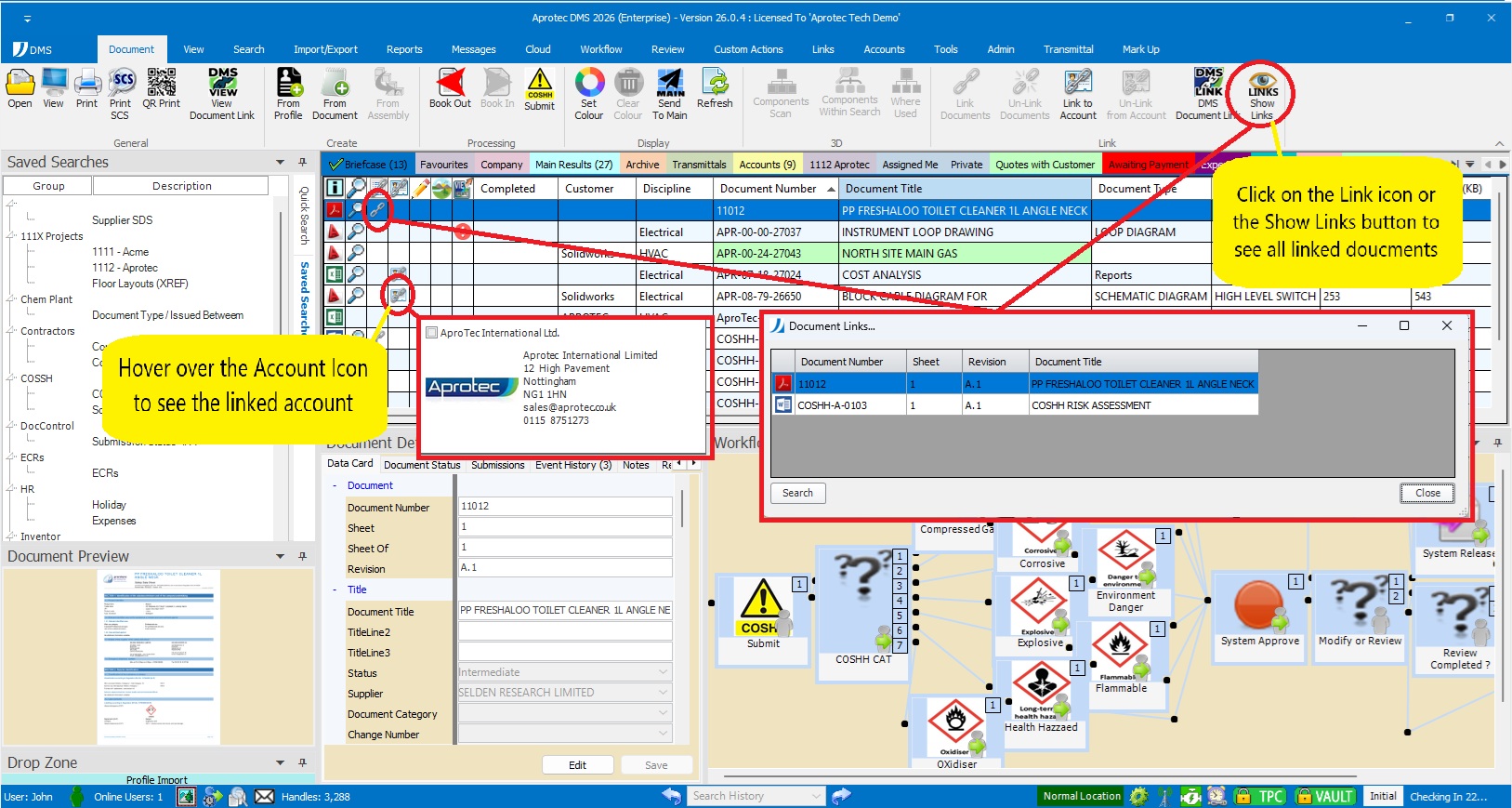
Paretic's Document Linking module allows you to easily make and break links between documents by the simple click of a button. Once made users can then see which documents are linked to others, e.g. a Bill of Material (Excel file) linked to a design drawing or a purchase order, and then easily click on a document link to retrieve all related documents..
Linked Documents can also leverage other DMS search and retrieve features, such as external Document Linking, which can be tailored to automatically deliver all linked documents.
Account Linking.
When you need to make a connection between a document and a known account (Company details) stored within DMS, this module provides that capability. Just like links between documents, Account linking allows you to easily make and break links between a document and an account by the simple click of a button. Not only can users then easily see relationships between a document and an Account, but the system can also automate other functionality such as the Document Updating with account information or the Distribution and Transmittal of documents to their linked account.
Aprotec DMS
Learn more about Aprotec’s latest flagship product for complete document management support. [more]
Downloads
 A number of useful documents are available for download in PDF format. [more]
Industries
For over 39 years Aprotec has provided document management solutions across a variety of industries. [more]
Remote Connectivity
Boost your productivity on the go, leverage the power of your DMS outside your walls to remote offices, remote workers and home workers. [more]
 Print